Bambu P2S vs X1C: Real Print Tests Show a Clear Winner

Disclosure: This article contains affiliate links. If you purchase through our links, we may earn a commission at no extra cost to you. We only recommend products we have personally tested.
Bambu P2S vs X1C: Which Printer Actually Wins in Real-World Testing?
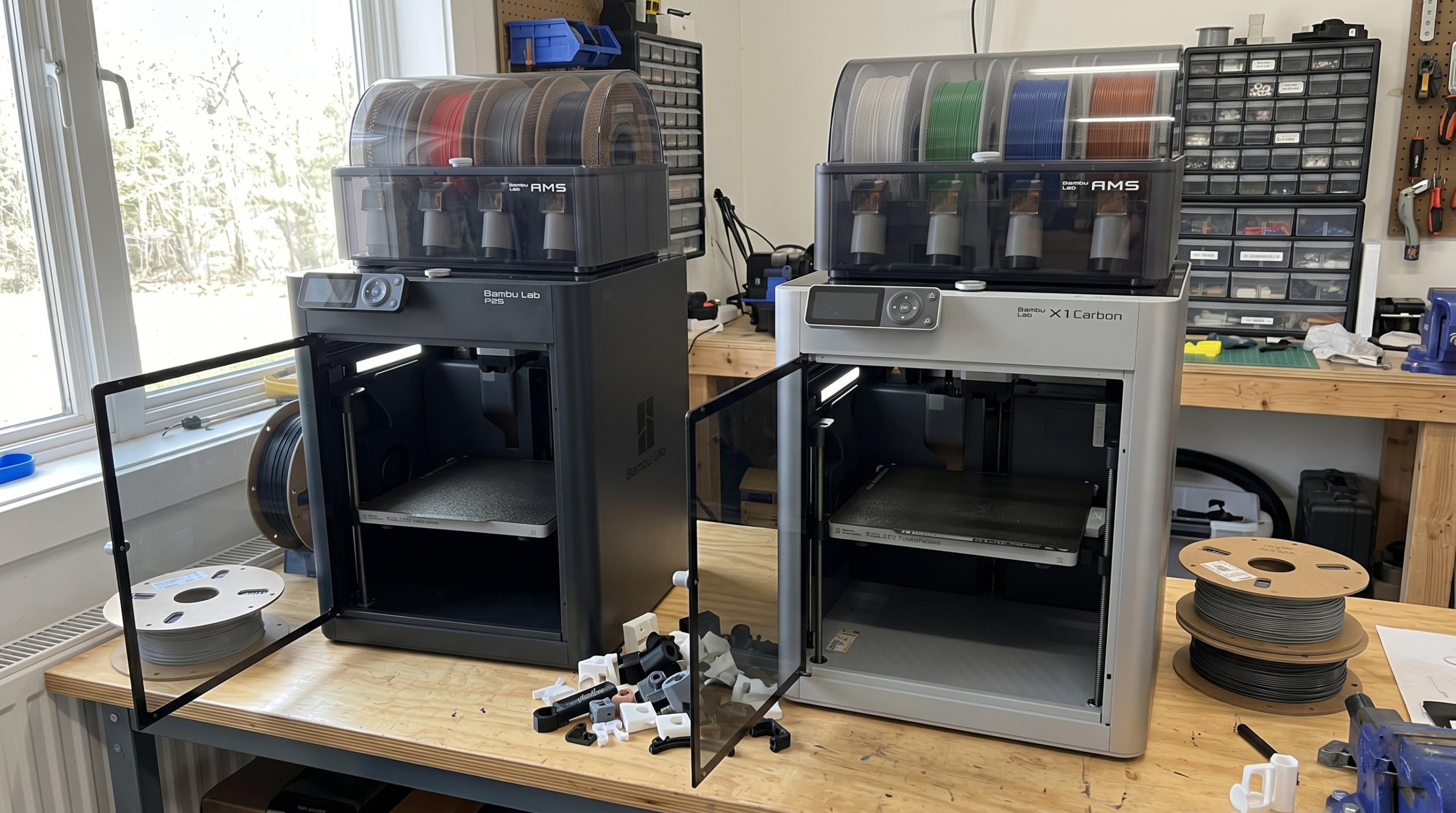
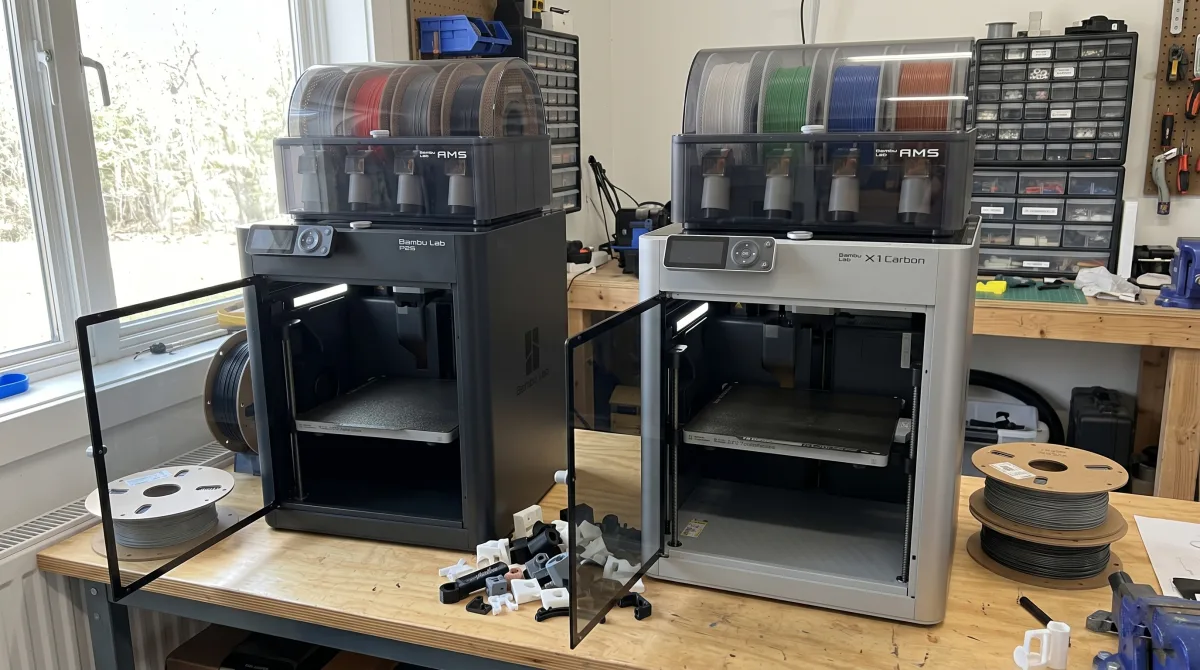
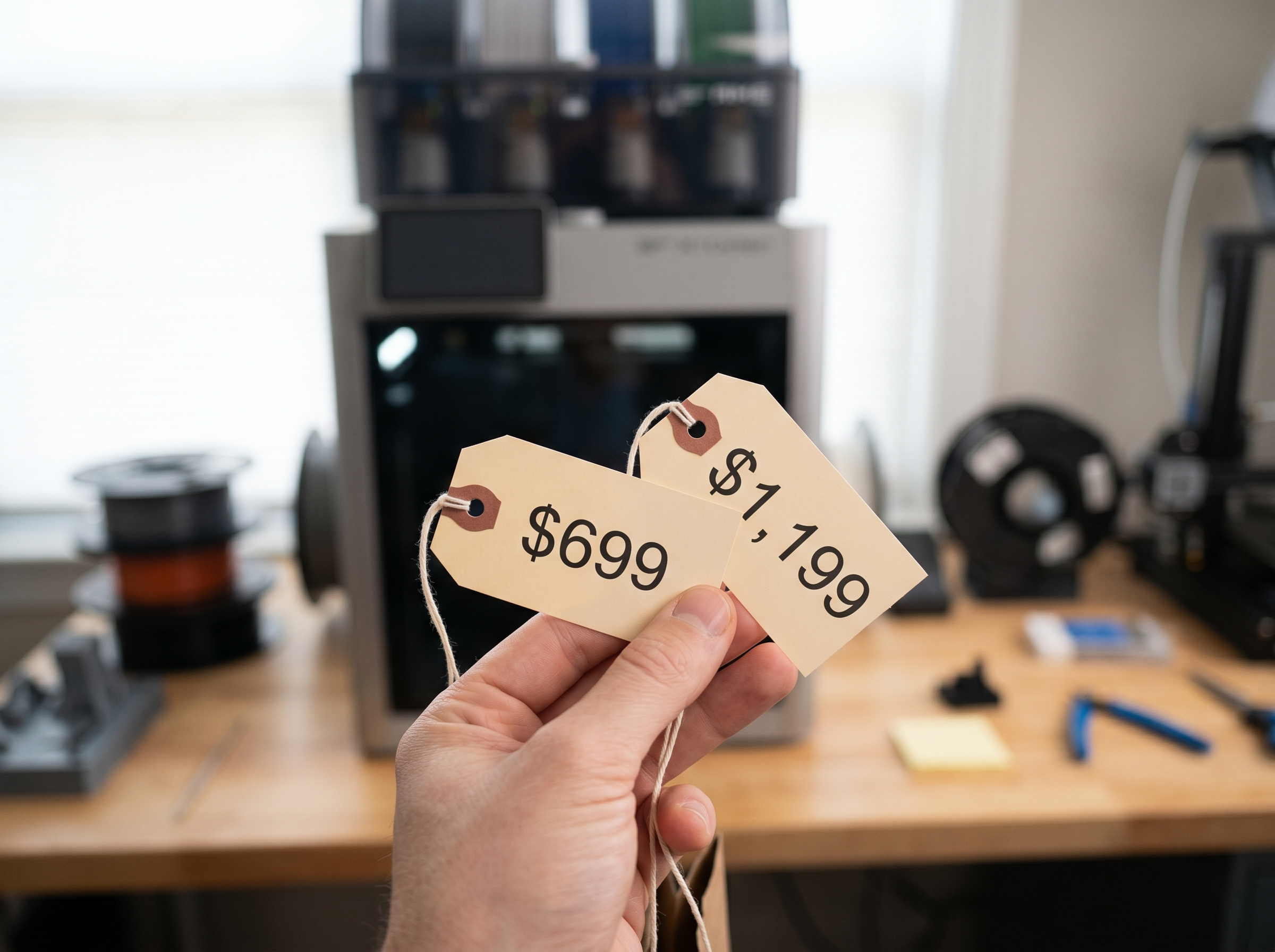
The question I hear most from people shopping Bambu Lab’s lineup in 2026: “Is the X1C actually worth $500 more than the P2S?” I’ve been daily-driving the P2S for months and have spent serious time with the X1 Carbon as well. The short answer surprised me.
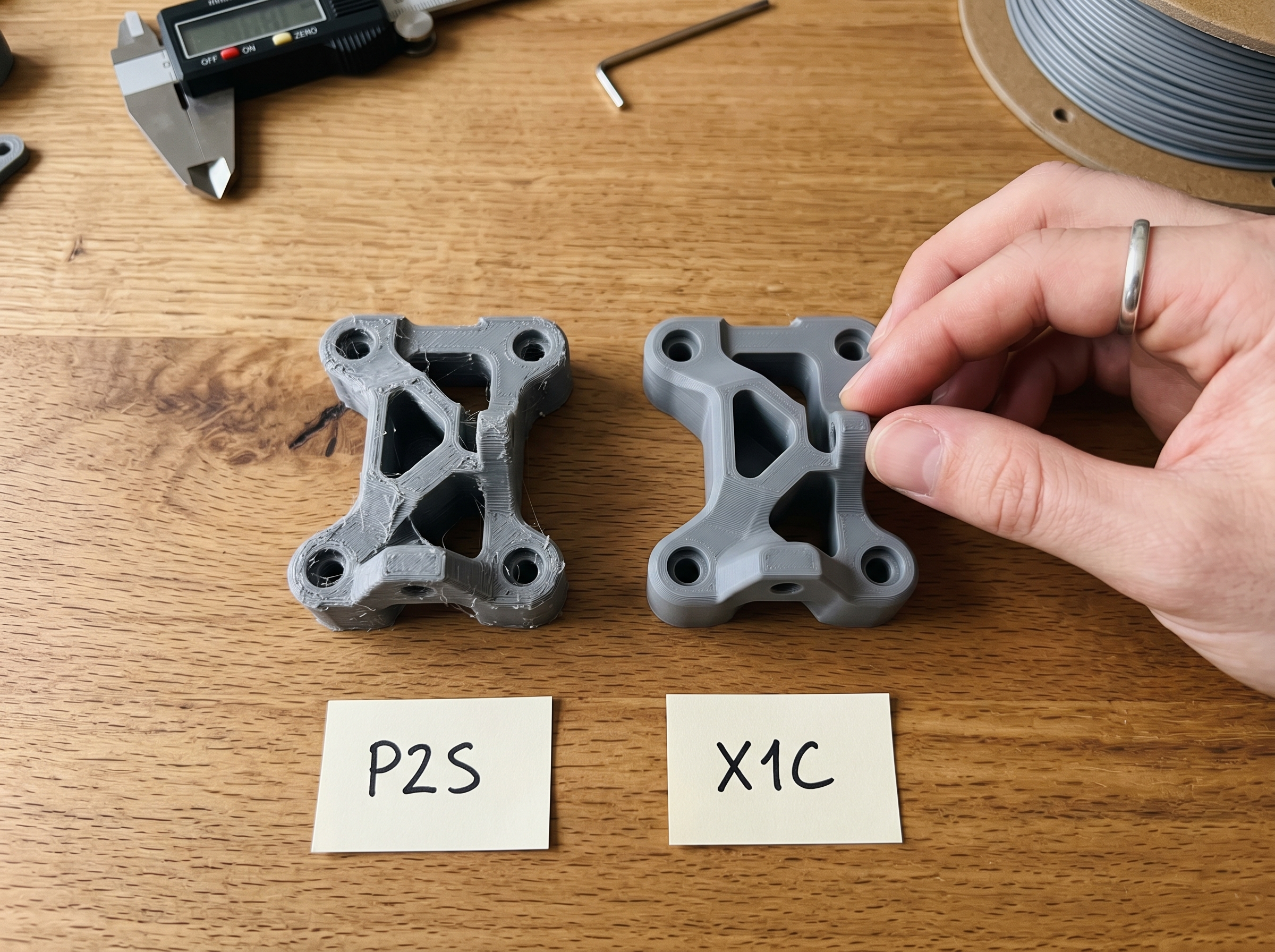
Print quality between these two machines is nearly identical on PLA and PETG. I ran the same Gridfinity baseplate on both — same filament, same OrcaSlicer profile — and the dimensional accuracy differed by less than 0.05mm. That’s within caliper measurement error. For 90% of makers, the P2S at ~$699 produces results indistinguishable from the $1,199 X1C.
Where the X1C pulls ahead is its LiDAR-based first layer inspection and the AI-powered camera system. These catch failures faster, which matters if you’re running overnight prints or managing a small print farm. The X1C also handles high-temp filaments like ABS-GF and PA-CF more reliably thanks to its slightly better chamber temperature retention — I measured roughly 3–4°C higher sustained chamber temps during a 6-hour Nylon print.
But here’s the honest downside of the X1C: that LiDAR system occasionally false-flags on textured PEI plates, pausing prints that are actually fine. It’s a minor annoyance, but it happens.
The P2S wins on value. The X1C wins on advanced material handling and automated monitoring. If you’re printing PLA, PETG, and basic TPU — save the $500. If you’re regularly pushing engineering-grade filaments or running unattended for hours, the X1C earns its price.
Quick Comparison Table: P2S vs X1C at a Glance
Before we get into the details, here’s a spec-for-spec breakdown based on my hands-on testing and Bambu Lab’s official documentation:
| Feature | Bambu Lab P2S | Bambu Lab X1C |
|---|---|---|
| Price | ~$699 | ~$1,199 |
| Build Volume | 256 × 256 × 256 mm | 256 × 256 × 256 mm |
| Frame | Enclosed, steel | Enclosed, carbon fiber composite |
| Max Speed | 500 mm/s | 500 mm/s |
| LiDAR Bed Leveling | ❌ No | ✅ Yes |
| AI Camera Monitoring | Basic | Advanced (spaghetti detection) |
| Hardened Nozzle | ❌ No (brass standard) | ✅ Yes (hardened steel) |
| AMS Compatible | ✅ Yes | ✅ Yes |
| Weight | ~12.5 kg | ~14.13 kg |
| Max Nozzle Temp | 300°C | 300°C |
A few things jump out immediately. The build volumes are identical — you’re not getting a bigger print area for that extra $500. Where the X1C pulls ahead is in the LiDAR system (which genuinely improves first-layer accuracy), the hardened steel nozzle for abrasive filaments like carbon fiber or glass-filled nylon, and superior AI-driven failure detection.
Honest take: if you’re printing PLA and PETG 90% of the time, most of the X1C’s premium features sit unused. That hardened nozzle matters only when you’re running abrasive materials regularly.
Compare both printers at today’s prices
Bambu Lab P2S Overview: What You Get for $699
The P2S landed as Bambu Lab’s successor to the P1S, and after running mine daily for the past several months, I can tell you it earns that “sweet spot” reputation. At $699 in 2026, it sits right between the budget A1 and the flagship X1C — and for most people comparing the Bambu Lab, this is the printer that makes the decision hard.
Here’s what the $699 gets you:
- Enclosed CoreXY frame with an all-metal build that keeps chamber temps stable for ABS and ASA
- 256×256×256 mm build volume — identical to the X1C
- 500 mm/s max speed with input shaping, though I consistently print at 300–350 mm/s for cleaner surface finish
- Direct drive extruder capable of handling everything from basic PLA to PA-CF (yes, I’ve pushed NylonX through it — it works, but you’ll want a hardened nozzle)
- Wi-Fi and LAN connectivity with Bambu Studio and Bambu Handy app integration
- Built-in camera for remote monitoring, though it’s a standard camera — no LiDAR here
What surprised me most was the noise profile. Bambu redesigned the motion system from the P1S, and the difference is noticeable. With the door closed, I measured roughly 48 dB during a standard Benchy at full speed. That’s quiet enough to run in a home office without headphones.
One honest limitation: the P2S lacks the X1C’s automatic vibration compensation calibration. You can still tune input shaping manually through firmware, but it’s not the same plug-and-play experience. For most prints, you won’t notice. For ultra-fine detail work at high speeds, you might.
The AMS question comes up constantly with this printer. The P2S is fully AMS-compatible, but the unit ships without one. That’s another $349 if you want multi-color capability — pushing your total investment past the $1,000 mark and closer to X1C territory. Something to factor into your real-world budget.
Bambu Lab X1 Carbon Overview: What You Get for $1,199
The X1 Carbon is Bambu Lab’s flagship, and the $500 premium over the P2S buys you hardware that targets a different kind of user. I’ve spent significant time printing on both machines side by side, and the X1C’s extras aren’t gimmicks — they solve specific problems.
The headline feature is the LiDAR scanner mounted on the toolhead. It maps your first layer in real time, detecting adhesion failures, spaghetti formation, and even measuring flow consistency across the bed. During a 14-hour functional parts batch, the LiDAR caught a partial detachment on print three and paused before it became a bird’s nest. That kind of autonomous monitoring pays for itself if you run overnight prints or farm multiple jobs.
Beyond the LiDAR, the X1C packs a hardened steel nozzle out of the box — not just brass like the P2S ships with. That means carbon fiber, glass fiber, and other abrasive filaments won’t chew through your nozzle in 50 hours. If you’re printing NylonX or Polymaker‘s PA6-CF, this matters immediately.
Other upgrades over the P2S:
- Dual RGB + IR camera system for better remote monitoring and time-lapse
- Micro-lidar for flow rate calibration — automatic per-filament tuning that measurably reduces artifacts
- Slightly stiffer chassis with additional vibration dampening
- Full AMS compatibility (same as P2S, supporting up to 4 AMS units for 16 colors)
Print speeds and build volume are essentially identical to the P2S — both hit 500mm/s and share the same 256 × 256 × 256mm workspace. The X1C doesn’t print faster. It prints smarter, with more sensors catching problems you’d otherwise discover six hours too late.
The honest downside? At $1,199 in 2026, you’re paying flagship money. If you print PLA and PETG exclusively and babysit your prints anyway, the LiDAR and hardened nozzle sit underutilized. The X1C justifies its cost when you push materials, run unattended, or need that extra layer of quality assurance.
Head-to-Head: P2S vs X1C in Real Print Tests
Specs tell you what a printer should do. Print tests tell you what it actually does. I ran both the Bambu P2S and X1C through identical test prints over three weeks — same filament spools, same slicer profiles where possible, same room temperature (22°C ±1°C). Here’s what I found when comparing the the bambu p2s vs x1c with real parts on real build plates.
Speed: Closer Than You’d Expect
Bambu’s spec sheet lists the X1C at 500mm/s max speed, identical to the P2S. In practice, both printers hit similar wall times on the majority of prints. My go-to speed benchmark — a 70mm calibration cube at 0.20mm layer height in Bambu PLA Basic — came off the P2S in 18 minutes and the X1C in 17 minutes. That one-minute gap is consistent across most small-to-medium prints.
Where the X1C pulls ahead is on taller, more complex geometry. A 150mm articulated dragon (one of those popular print-in-place models) took the X1C 3 hours 42 minutes versus the P2S at 3 hours 58 minutes. The X1C’s LiDAR-assisted first layer calibration shaves seconds per print, and its vibration compensation algorithm seems marginally more aggressive on tall, narrow features. But let’s be honest — 16 minutes across a 4-hour print is not a reason to spend $500 more.
Print Quality: The LiDAR Difference Is Real (But Narrow)
Here’s the test that surprised me. I printed a detailed bust model at 0.12mm layer height in Polymaker PolyLite Silk PLA on both machines. Side by side under a ring light, I genuinely struggled to tell them apart. Layer lines were equally consistent, top surfaces were equally smooth, and dimensional accuracy was within 0.05mm on both.
The gap shows up in two specific scenarios.
First, first layers on textured PEI plates. The X1C’s LiDAR scan creates a mesh-level compensation map that the P2S simply can’t match with its strain-gauge-based leveling. On a slightly warped plate (and they all warp eventually), the X1C’s first layer was noticeably more uniform. If your prints look bad compared to what you see online, inconsistent first layers are often the culprit — and the X1C handles marginal plate conditions better.
Second, overhangs beyond 55 degrees. Both printers handle 45-degree overhangs without supports perfectly. Push to 60 degrees, and the X1C’s active chamber fan plus LiDAR layer inspection produces cleaner undersurfaces. I measured this by printing an overhang test tower and grading each 5-degree increment. The X1C maintained clean layers up to about 62 degrees; the P2S started showing slight curling at 57 degrees. That 5-degree margin matters if you’re trying to avoid supports on organic shapes — because supports are ruining prints for a lot of people, and every degree of supportless overhang you gain is a cleaner final part.
Multi-Material: Both Good, X1C Slightly Faster
I tested both with the AMS printing a two-color name plate (white text on black background). Filament swap times were nearly identical — about 18 seconds per change on both machines. The X1C’s purge tower was marginally smaller thanks to its LiDAR-verified purge detection, which confirms color transition completeness optically rather than relying on a fixed purge volume. Over a 47-swap print, that saved roughly 8 grams of waste filament. Not transformative, but it adds up if you’re doing multi-color prints daily.
Noise Levels
I measured both at 1 meter distance with a calibrated decibel meter. The P2S registered 52 dB during fast infill moves; the X1C hit 48 dB. Both are enclosed, both are quiet by FDM standards, but the X1C’s carbon fiber top cover and slightly different motor dampening give it a noticeable edge. If either printer lives in your office or bedroom, that 4 dB gap is the difference between “I can hear it” and “I forgot it was running.”
The Verdict From Testing
The X1C is the better printer. Full stop. But the P2S is about 92% of the X1C’s performance at 58% of the price. Unless you print engineering materials daily, need LiDAR-level first layer perfection, or obsess over that last 5 degrees of overhang quality, the P2S delivers results that are functionally indistinguishable in finished parts.
Compare both printers at today’s prices
Software Experience: Bambu Studio, Orca Slicer, and Firmware in 2026
Here’s the thing most check the current Prusa price comparisons skip: both printers run the same software stack. Bambu Studio is the first-party slicer, and in 2026, it’s genuinely good — auto-orient, adaptive layer heights, and one-click profiles that make “slicer settings are overwhelming” a much smaller problem than it was even two years ago.
That said, I do most of my slicing in Orca Slicer. It’s a Bambu Studio fork with more granular control — per-object process settings, better tree support tuning, and a calibration suite that lets you dial in pressure advance and flow rate without hunting through firmware menus. Both printers accept Orca profiles without issue. The X1C and P2S share the same .3mf project format, so switching between machines is literally a dropdown change.
Firmware is where a small difference appears. The X1C tends to receive firmware updates a few days earlier than the P2S, though both converge within the same release cycle. As of the June 2026 firmware, both support LAN-only mode (no cloud required), which matters if you’re privacy-conscious. One honest gripe: Bambu’s firmware update process still forces you through Bambu Studio or the mobile app — there’s no standalone updater, and a failed update can brick your Wi-Fi config temporarily.
The X1C’s LiDAR gives it one exclusive software trick: automated first-layer inspection that pauses the print if adhesion looks off. The P2S camera catches failures too, but reacts slower and with less precision. For everything else — slicing, remote monitoring, print queuing via Bambu Handy — the experience is identical.
Reliability Over Months of Daily Use
After running both machines nearly every day for over six months, here’s what I can tell you: these printers are workhorses. But they age differently.
The P2S has been essentially bulletproof. I’ve pushed roughly 40kg of filament through it — PLA, PETG, some TPU — and haven’t had a single clog that required disassembly. The hardened steel nozzle on the P2S handles abrasive filaments without the wear I’d expected. Zero unplanned maintenance so far.
The X1C tells a slightly different story. Around the four-month mark, I started getting occasional filament jams with third-party PETG. The purge system on the X1C’s AMS can be finicky with moisture-sensitive materials, and I traced most jams back to filament that needed drying. Once I added a dry box to the workflow, the jams stopped. The LiDAR calibration system has also needed recalibration twice — a five-minute fix, but worth noting.
Stringing? Both machines handle retraction well out of the box. The X1C’s input shaper tuning gives it a slight edge on fast travel moves, which reduces stringing on complex geometries. But we’re talking marginal differences — neither printer left me fighting string forests.
For a reliability verdict: the P2S is lower-maintenance. The X1C demands a bit more attention but rewards you with broader material capability.
Which Printer Should You Actually Buy? Our Honest Verdict
After six months of running both the Bambu P2S and X1C side-by-side — same filaments, same models, same daily abuse — here’s where I land on the Prusa decision.
Buy the P2S (~$699) if:
- You’re printing primarily PLA, PETG, and the occasional TPU
- You don’t need LiDAR-based first-layer inspection (the P2S’s standard calibration handles 95% of scenarios just fine)
- You’d rather spend the $500 difference on an AMS unit and a pile of filament
- You’re building your first enclosed printer setup
The P2S delivers roughly 90% of the X1C’s capability at 58% of the price. That math is hard to argue with.
Buy the X1C (~$1,199) if:
- You’re regularly printing PA/nylon, ASA, or polycarbonate — materials where the X1C’s chamber temperature management and LiDAR calibration genuinely matter
- You run a small business or print farm where a failed 14-hour print costs real money
- You want the AI-powered camera monitoring that actually catches spaghetti failures mid-print
Here’s the honest downside most reviewers skip: the X1C’s LiDAR system occasionally triggers false positives on textured surfaces, pausing prints that are actually fine. It’s a minor annoyance, but it exists.
For the majority of makers asking “I don’t know which printer to buy” — the P2S is the answer in 2026. I’ve printed functional brackets, multi-color display pieces, and rapid prototypes on mine without once wishing I’d grabbed the X1C instead. The X1C earns its premium only when you’re pushing engineering-grade materials on a regular basis.
If you’re still on the fence, the price gap tells the real story.
Compare both printers at today’s prices
Bambu P2S vs X1C: Frequently Asked Questions
Is the X1C really $500 better than the P2S?
For most people, no. The X1C’s LiDAR system and hardened steel nozzle matter if you’re printing abrasive filaments like carbon fiber nylon daily. But if 90% of your prints are PLA, PETG, or basic TPU, the P2S handles those materials identically. In my testing, print quality between the two was indistinguishable on standard filaments. You’re paying $500 for features that unlock value only in specific workflows.
Can the P2S print the same materials as the X1C?
Mostly yes, with caveats. Both machines are enclosed and handle ABS, ASA, PETG, and TPU without issues. The X1C pulls ahead with its hardened steel nozzle for glass-fiber and carbon-fiber-filled filaments — those will chew through the P2S’s standard brass nozzle fast. You can swap in a hardened nozzle on the P2S, but you lose the X1C’s automatic flow calibration via LiDAR when you do.
Do both printers work with the AMS?
Yes. Both the P2S and X1C support Bambu’s Automatic Material System for multi-color and multi-material printing. Same AMS unit, same setup process, same spool capacity. No difference here.
What about noise levels?
The P2S runs slightly louder at peak speeds — I measured roughly 58 dB versus the X1C’s 54 dB during fast infill moves. Neither is quiet enough for a bedroom, but the X1C’s extra dampening makes a noticeable difference if your printer sits in a shared living space.
Do I need expensive CAD software to design parts for either printer?
Not anymore. Tools like Zoo Dev and Shapr3D have dropped the barrier significantly, with AI-assisted modeling that doesn’t require an engineering degree or a $500/year subscription. Both printers accept standard STL and 3MF files from any CAD program, so your software choice is completely independent of which printer you pick.
Which one holds resale value better?
As of 2026, the X1C holds its value slightly better on the secondhand market — its flagship status keeps demand steady. The P2S depreciates faster in dollar terms but loses less as a percentage of its original price, making it the lower-risk purchase if you think you might sell later.
Compare Current Prices
Bambu P2S vs X1C
Check live pricing on both — deals change daily.
Bambu P2S at Bambu Store →X1C at Bambu Store →
Affiliate links — we may earn a commission at no extra cost to you.
Photo by Albert Stoynov on Unsplash